The content & editing system

What good content looks like.

The full visual and editing reference. Templates, the editing SOP, captions, filming and the brand voice — with real screenshots of what to make. This is the standard every piece of content is held to.

BrandTim Brace
CompanySCALO™
Primary fontInter
Secondary fontPlayfair Display italic
Accent#A8E020, electric green
Version2.2
01, brand positioning
Tim Brace
is the brand.

SCALO is the product Tim built. The personality, the story, the authority, all Tim. Always lead with the person. The company comes second. Every piece of content should feel like Tim is talking directly to one person.

The person
Service-based founder. Built from a shed. Gym mornings, monthly travel, two ski seasons. Straight-talking, no performance. The lifestyle is real, that is the proof of concept.
The audience
Self-employed service providers making £5k+ per month. They have a skill and an audience. No clear path to online income. Tim did it. Now he shows them how.
The promise
First online sale in 45 days. Via the L.A.U.N.C.H. Method. No theory, just the exact framework that already works for real students.
02, colour palette

The working palette. Four colours plus the deeper green — the same set as the Tokens page.

Pitch Black
#0E0E0E
Text and dark backgrounds.
Parchment
#EDE0CC
The warm cream. Light backgrounds and graphic cards.
White
#FFFFFF
Clean surfaces, and white text on video footage.
Electric Green
#A8E020
The accent for dark and digital backgrounds only. Never on light. Never a video background.
Dark Green
#5A8000
The same green for light backgrounds only — on parchment, cream or white. Use this wherever electric green would be too bright to read.
That’s the set
Four colours plus the deeper green. The app’s light and dark interface shades are derived from these for screen UI only — they are not brand colours.
dark mode, in use
Primary text
secondary text.
Parchment text, electric green accent
light mode, in use
Primary text
secondary text.
dark green on light, #5A8000
Legacy colour, for editors
Earlier content used a rust red / dark terracotta (#8B2A1A) accent and parchment background. This was the previous brand palette. All new content going forward uses electric green (#A8E020) as the digital accent. When editing older footage, maintain the legacy palette for consistency with the original shoot. New shoots use the green system on digital assets only.
03, typography system
Primary, Inter
Weight: 700, 800 bold
Kerning: minus 27
Case: see usage rules below
ABCDEFG
HIJKLMN
Extra bold 800 Bold 700 Medium 500 Regular 400
Case usage rules
ALL CAPS, when to use
High-energy moments, attention-grabbing words, key words in video text overlays, conversion-focused headlines on landing pages, graphic cards. Used to draw the eye to a specific word or phrase. The contrast between caps and lowercase within the same frame creates visual hierarchy.
lowercase, when to use
Standard captions, supporting lines, context words around the hero word, body copy on all platforms. Lowercase feels more human and conversational. The mix of lowercase context and uppercase key word is the signature text style of this brand.

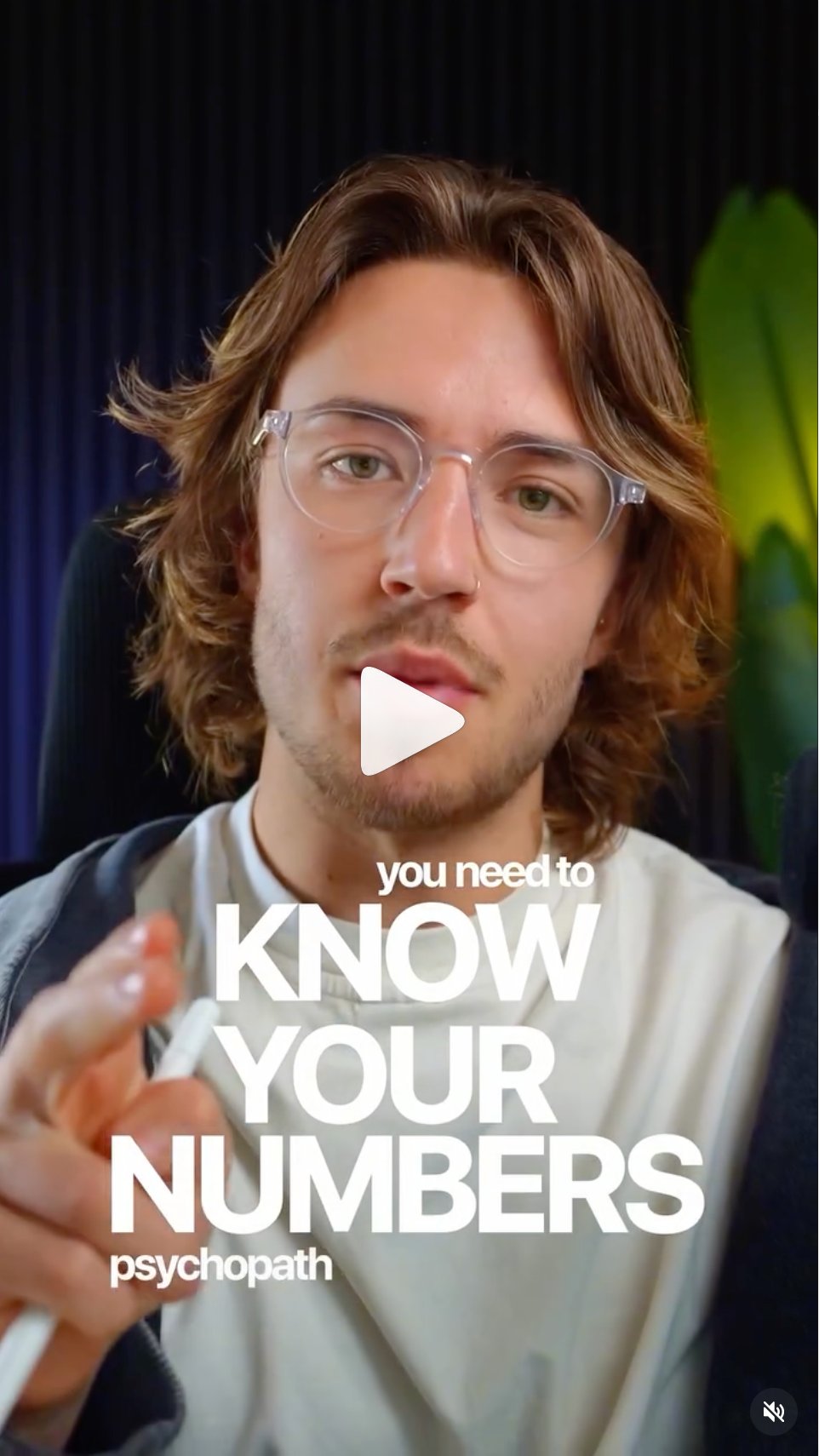
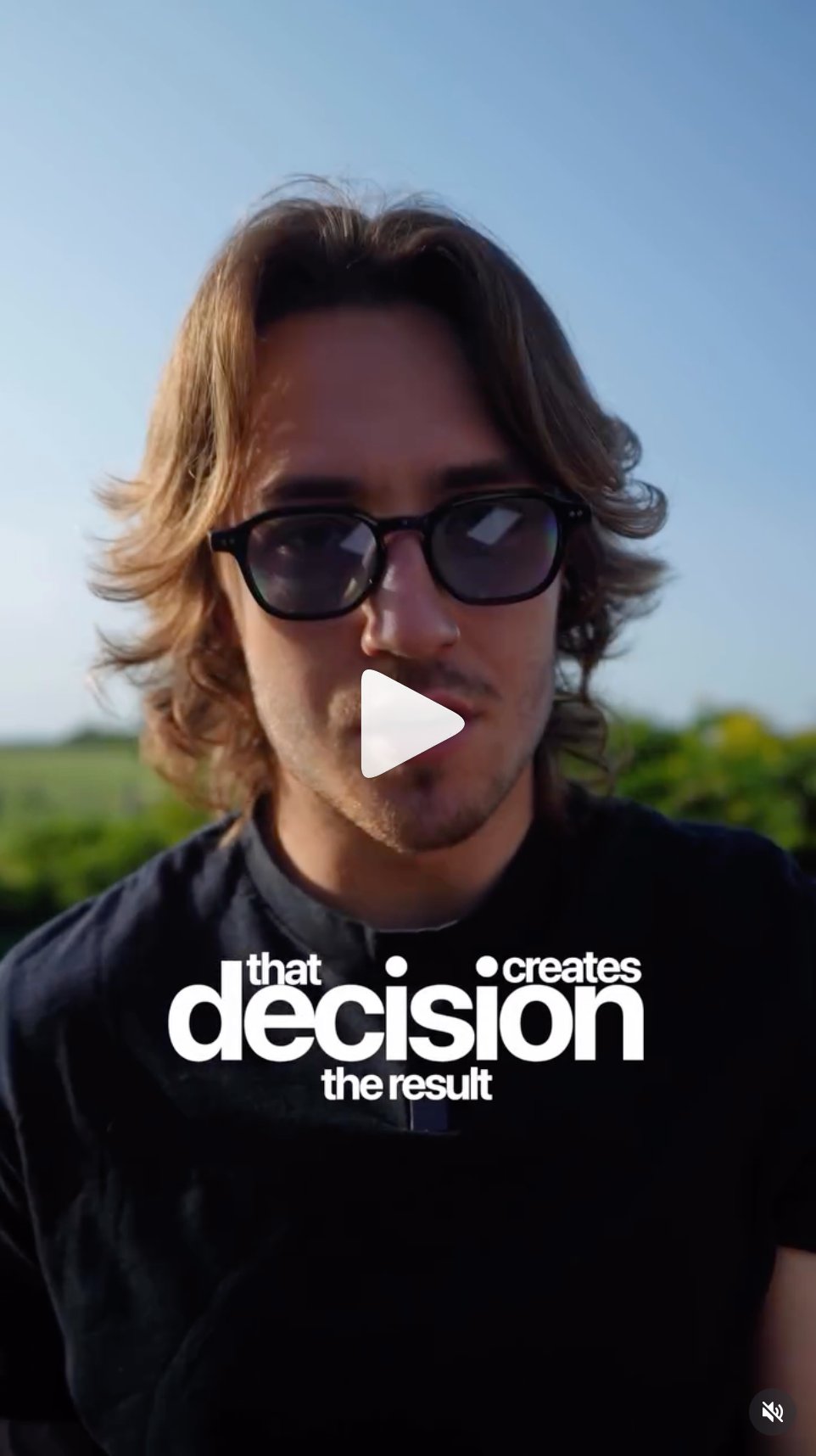
The key word gets all caps. Everything around it is lowercase. This is visible throughout the existing content, for example “that DECISION creates the result” or “you need to KNOW YOUR NUMBERS psychopath.” That contrast is the style.

Secondary, Playfair Display italic
Weight: regular italic only
Kerning: minus 55
Case: sentence case, NEVER uppercase
The work speaks for itself.
Sentence case only
Capitalise first word only. Never all caps. Never title case throughout. This rule has no exceptions.
No numbers or symbols
Stats, prices, and data always in Inter. Never Playfair.
Always paired
Never standalone. Always beneath or beside Inter bold, and matched to its size so it never reads smaller. It is the contrast element, not the headline.
Typeface note, for designers
Inter is the official typeface across all digital, web, portal, landing page, and on-screen text. The original spec named Neue Haas Grotesk as the display face. Inter is now the locked standard everywhere. Neue Haas Grotesk is kept only when matching older video assets that were already set in it. All new work uses Inter.
Pairing examples
statement, dark
Build the life
then enjoy it.
statement, light
Build the life
then enjoy it.
result, dark
£21K
Student. Ten days.
result, light
45 days
to your first online sale.
04, static graphic templates

Three graphic template types for Instagram posts and carousel cards. All use the same font system. All have 60% or more negative space. Text always bottom-left aligned, never centred.

Type A, dark statement
The hardest part
isn't starting.
Black bg, parchment and green
Type B, light statement
Your skill is already
worth more online.
Parchment bg, black and dark green
Type C, result proof
£21K
Student. Ten days.
Stat in Inter, context in Playfair
Graphic rules, mandatory
Text placement
Always bottom-left. Never centred. Never top-right. Feels editorial, not templated.
Negative space
Minimum 60% of the graphic must be empty. The text hits harder when there is room around it.
No decoration
No borders, no icons, no dividers. Typography and colour do all the work.
05, editing SOP

Four video content templates. Every Reel, TikTok, or YouTube Short falls into one of these. Follow the spec for each. Do not mix templates within a single video unless instructed.

Template 1, talking head with kinetic text
Primary content format
Visual spec
Aspect ratio: 9:16 vertical, 1080x1920px.
Subject framing: Mid-chest to top of head. Subject slightly off-centre, environmental context visible in background.
Text position: Lower third of frame, centred horizontally. Never over the face.
Text colour: White (#FFFFFF) only on video footage. Never coloured text directly on footage.
Backgrounds: Natural environments, outdoors, coffee shops, gyms, cars. Never a plain wall.
Text hierarchy
Key word: ALL CAPS, Inter 800, 80 to 120px, kerning minus 27. This is the word you want the viewer to remember. Maximum size.
Supporting lines: lowercase, Inter 400, 28 to 36px. Smaller, sits above and below the key word.
Bracket emphasis: Key phrases can be wrapped in [brackets] using the same bold weight. Seen in “[scared] to admit.” format.
Editing spec
Cut pace: Cut on breath or emphasis. Tight, no dead air. Average cut every 2 to 4 seconds.
Jump cuts: Allowed and encouraged. Removes filler words, keeps energy up.
Text timing: Key word appears as it is spoken, not before, not after.
Text animation: Word by word or phrase by phrase. Hard cut-in or very fast scale from 95% to 100%. No slow fade. No bounce or spring animation.
Colour grade: Muted, slightly desaturated. Warm skin tones preserved. No heavy presets. Slight vignette is acceptable if subtle.
Visual examples, current brand and legacy
Current brand colours for this template: Parchment (#EDE0CC) background with pitch black (#0E0E0E) primary text and dark green (#5A8000) Playfair italic. Or pitch black background with parchment primary and electric green (#A8E020) Playfair italic. The layout, negative space, and centred text approach shown below stays exactly the same.
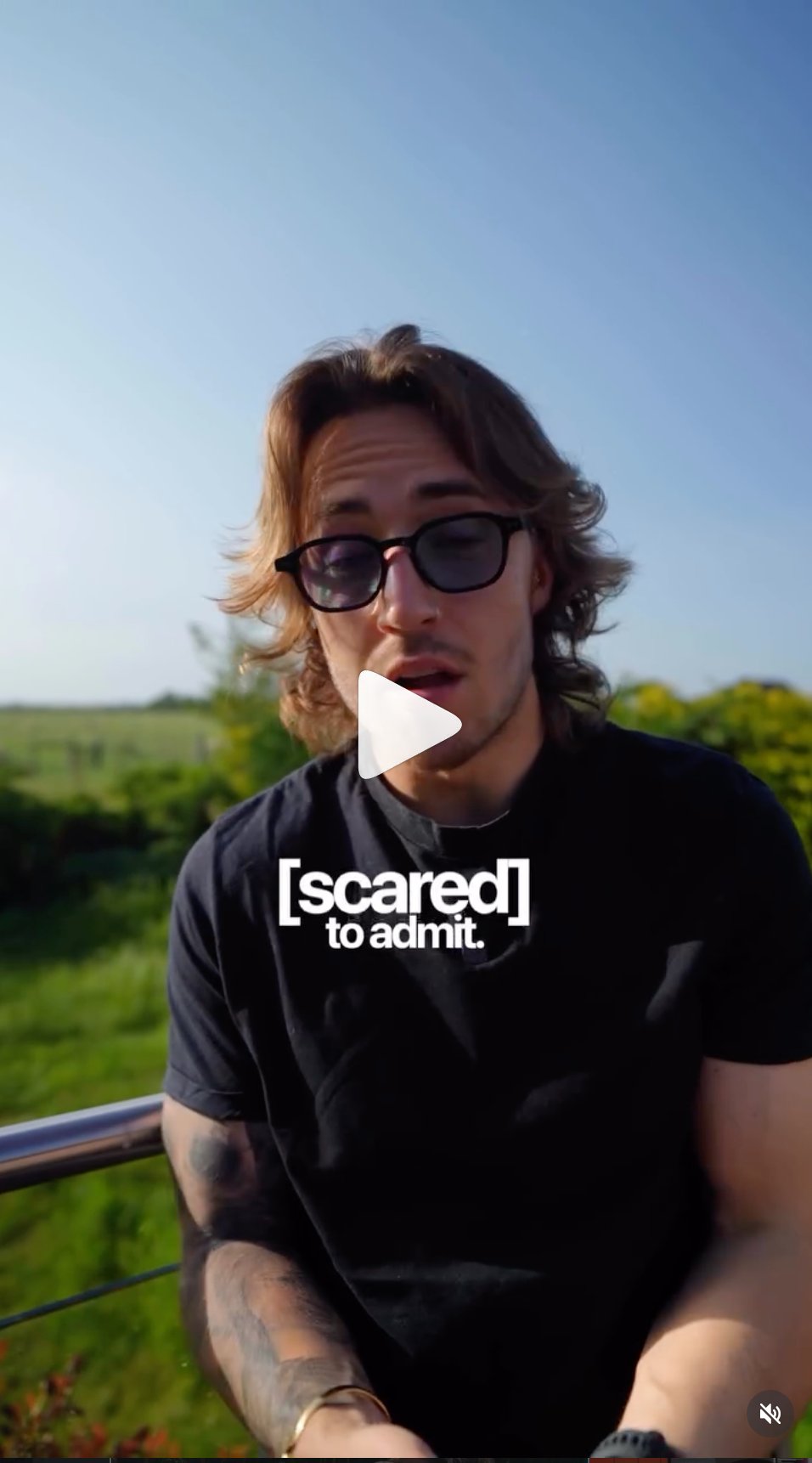
Scared to admit text overlay example
[scared] to admit, bracket emphasis style, key word lowercase in brackets, supporting line below
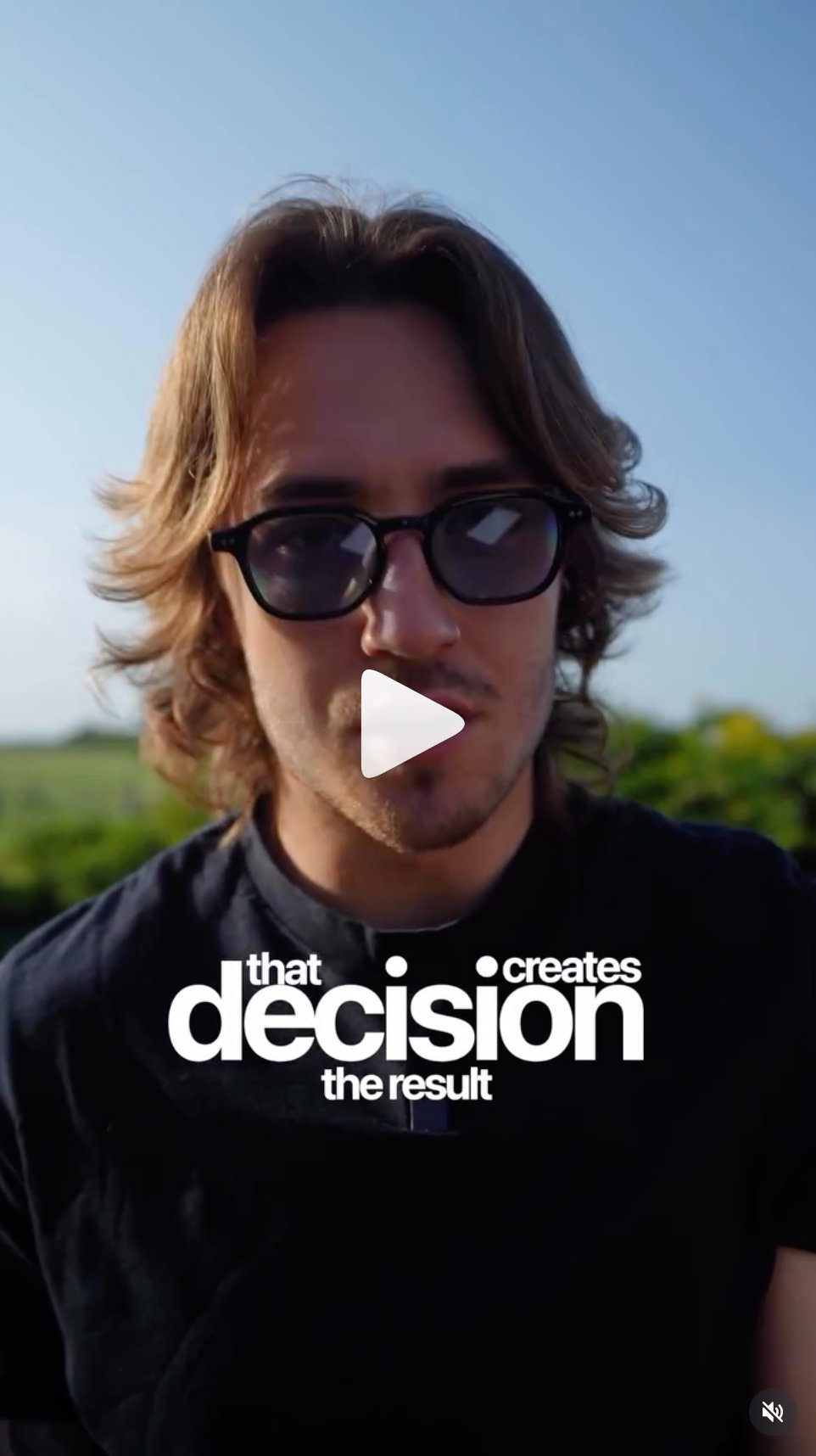
Decision creates result text overlay
that DECISION creates the result, key word in all caps, context in lowercase above and below
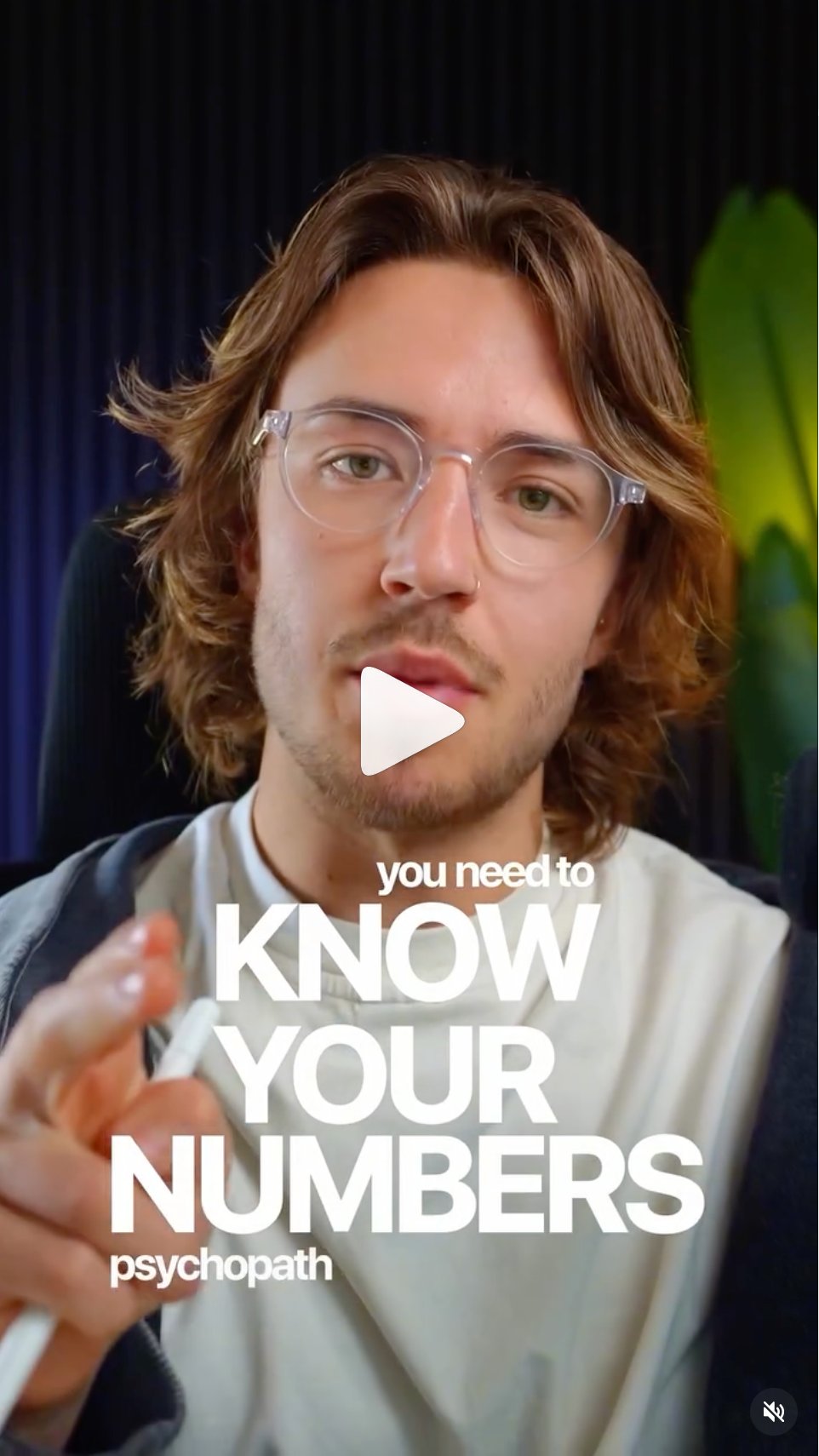
Know your numbers text
you need to KNOW YOUR NUMBERS psychopath, mixed case hierarchy showing the scale difference
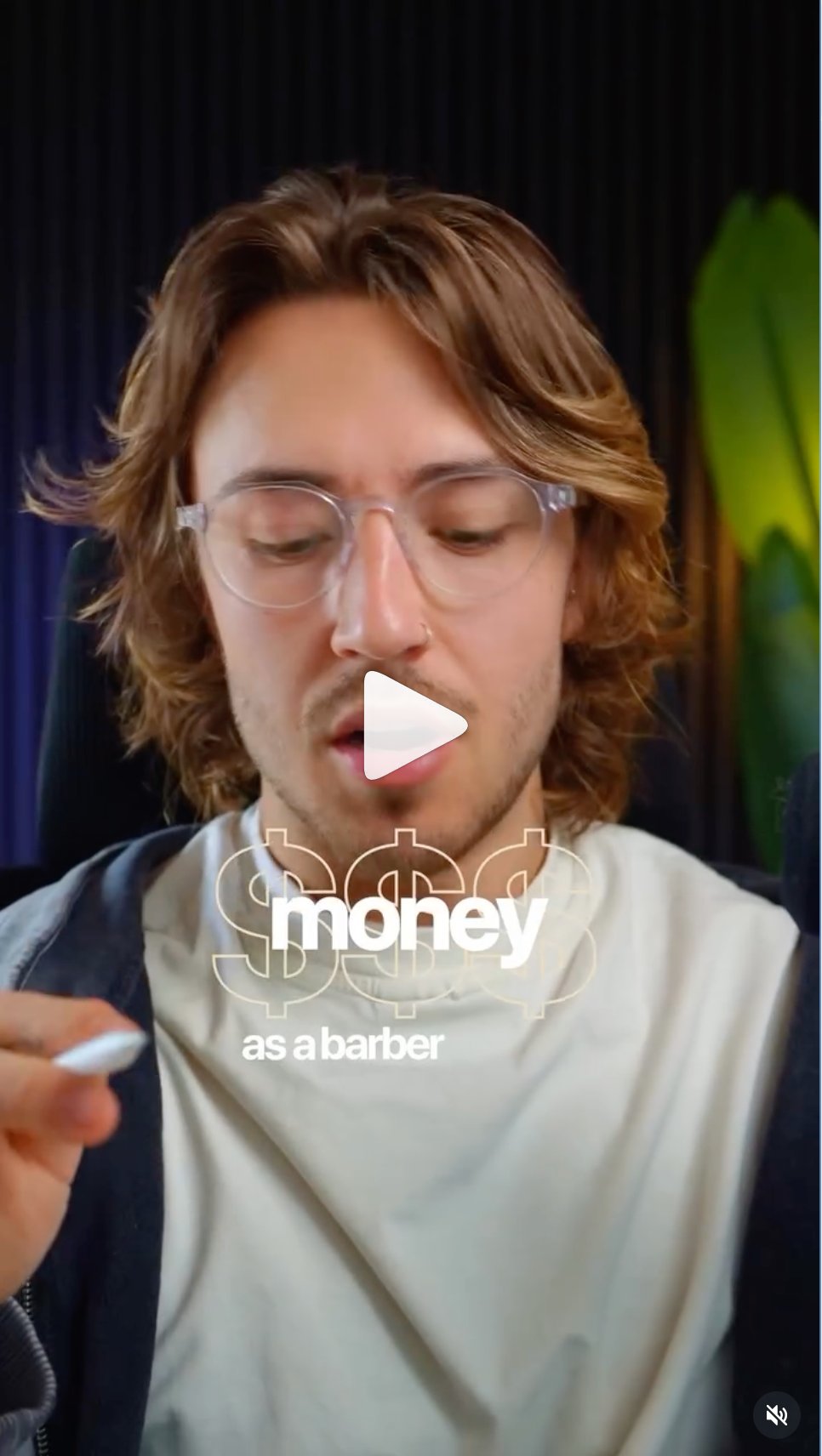
Money as a barber
key word MONEY with supporting line below, graphic element used as background layer
Template 2, static or motion graphic card
Quote, statement, hook content
Visual spec
Background: Parchment (#EDE0CC) or Pitch Black (#0E0E0E). Two options only.
Text on parchment: Pitch black for primary, dark green (#5A8000) for secondary Playfair italic.
Text on black: Parchment for primary, electric green (#A8E020) for secondary Playfair italic.
Text placement: Centred on these cards only, unlike graphic posts which are bottom-left. Lots of negative space above and below.
Graphic elements: Illustration or minimal graphic can be used as a background element, as seen in the brain example. Must be muted to sit behind text without competing.
Inset video: A cropped video window can float in the upper portion of the parchment frame, with text below.
Motion rules
If animated: Slow subtle zoom on background element, Ken Burns effect, 100 to 103% over full duration. Text appears word by word with hard cut-in.
No transitions: No wipes, no slides, no crossfades between graphic cards. Hard cuts only.
Visual examples, current brand and legacy
Current brand colours for this template: Parchment (#EDE0CC) background with pitch black (#0E0E0E) primary text and dark green (#5A8000) Playfair italic. Or pitch black background with parchment primary and electric green (#A8E020) Playfair italic. The layout, negative space, and centred text approach shown below stays exactly the same.
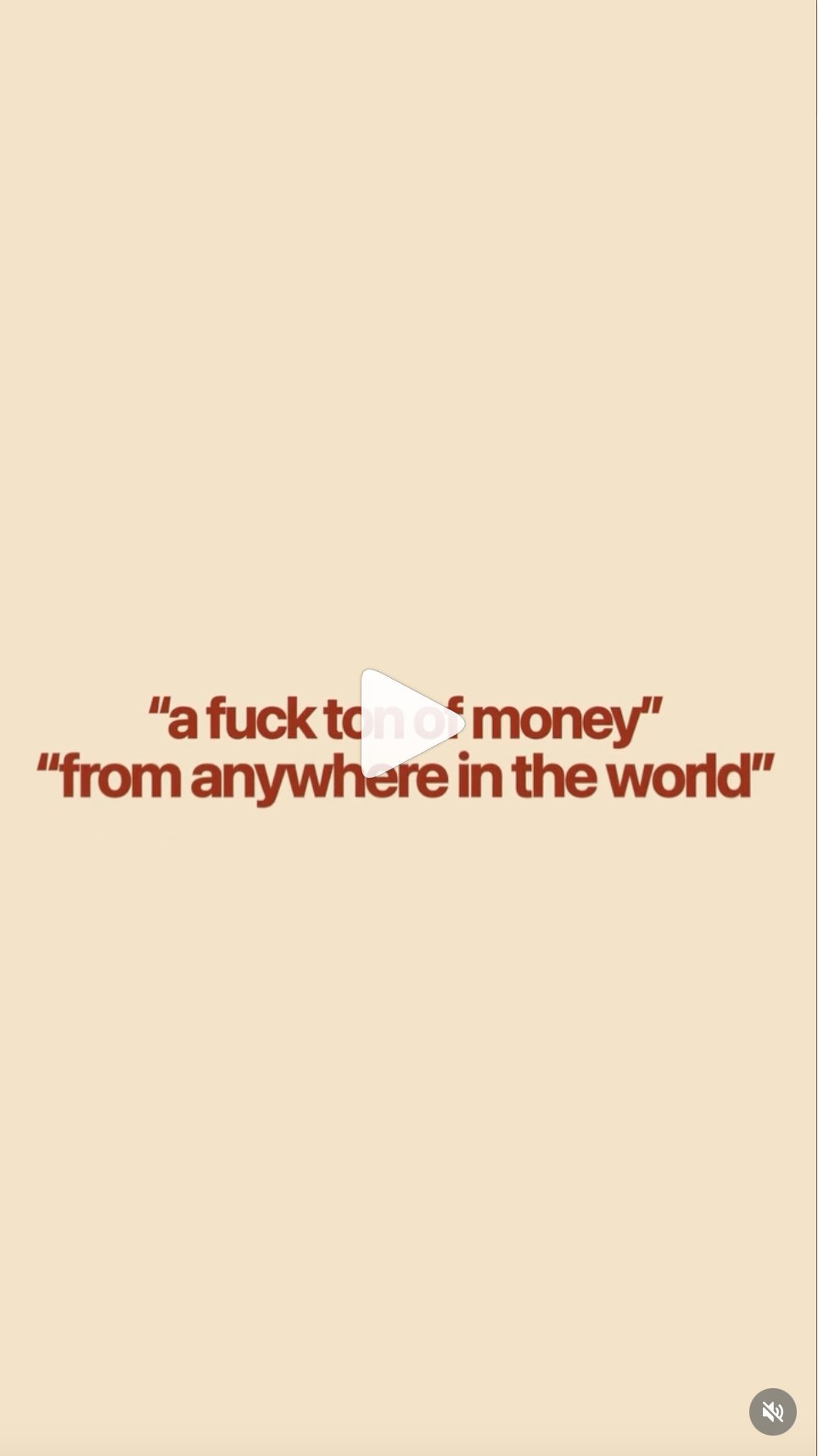
Money from anywhere parchment card
legacy version. Old rust red text on lighter cream background. New system uses pitch black or dark green (#5A8000) on parchment (#EDE0CC). Layout and negative space approach stays the same.

Brain illustration parchment card
parchment background, illustration as background element, keyword in highlight box, minimal text. Replace the rust red keyword box with pitch black or electric green in new content.
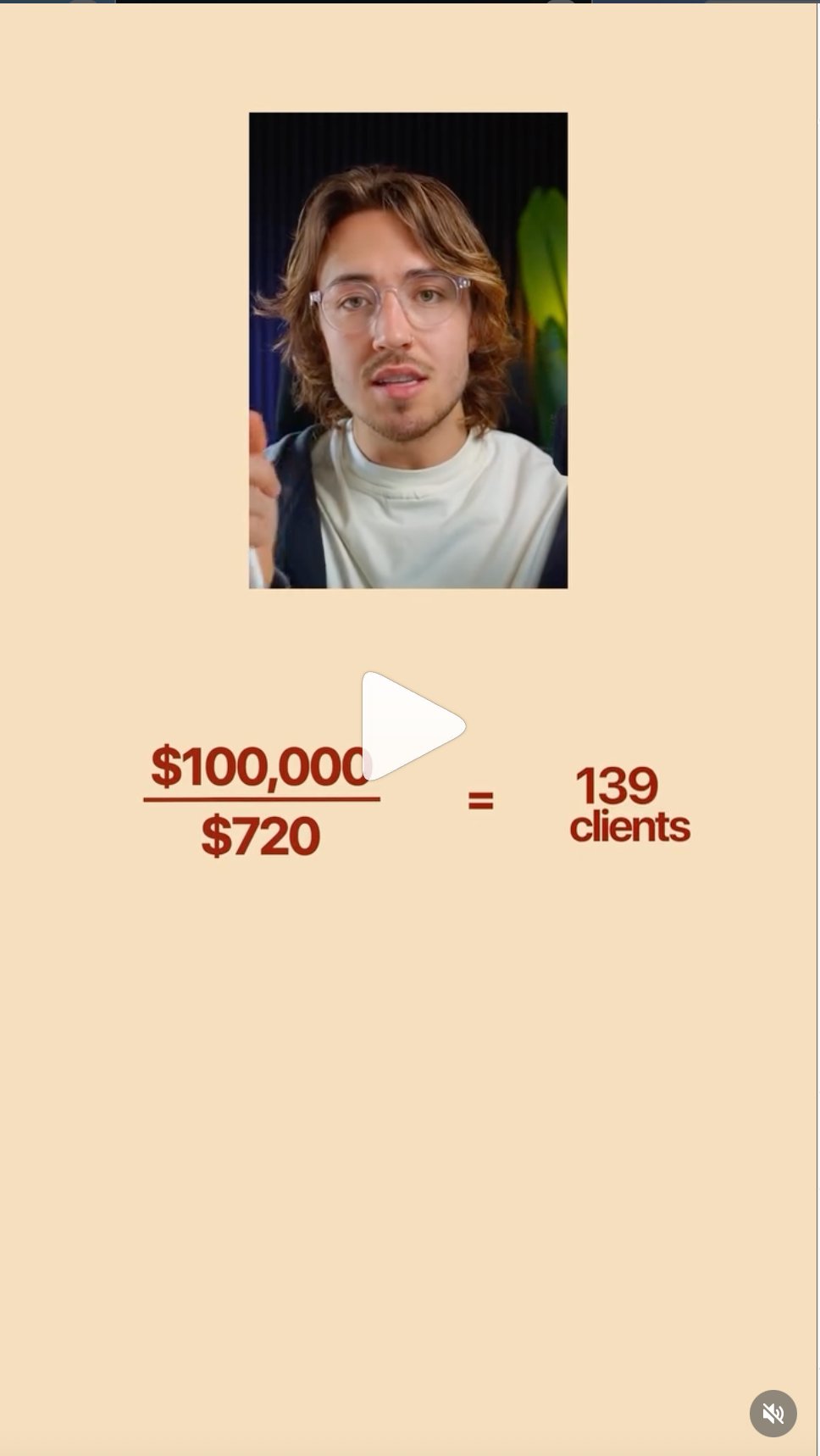
100000 divided by 720 equals 139 clients
parchment background, inset video top, data visualisation below, Inter bold for all numbers, lots of negative space
Template 3, transition or chapter opener card
Used between sections or as a hook opener
Visual spec
Background: Parchment (#EDE0CC). This is the same warm background used throughout the brand. Not green, not black.
Text: Single word or very short phrase. Inter 800, lowercase or uppercase depending on energy. Centred. Pitch Black (#0E0E0E) or rust red for legacy content.
Duration: 0.5 to 1.5 seconds only. This is a beat, not a scene.
Use cases: Chapter break between sections of a longer video. Hook opener before main footage. Emphasis moment to land a single word.
Green accent rule
Electric green (#A8E020) is a digital and web accent only. It lives on landing pages, portals, and static graphic assets. It is not used as a full-screen video background or transition card colour. The parchment background is the brand's video transition colour.
Legacy version
Previous content used a full rust red background (#8B2A1A) for transition cards, as seen in the conversion card example. When editing footage shot before this rebrand, maintain the rust red for consistency with that content batch.
Real example from content
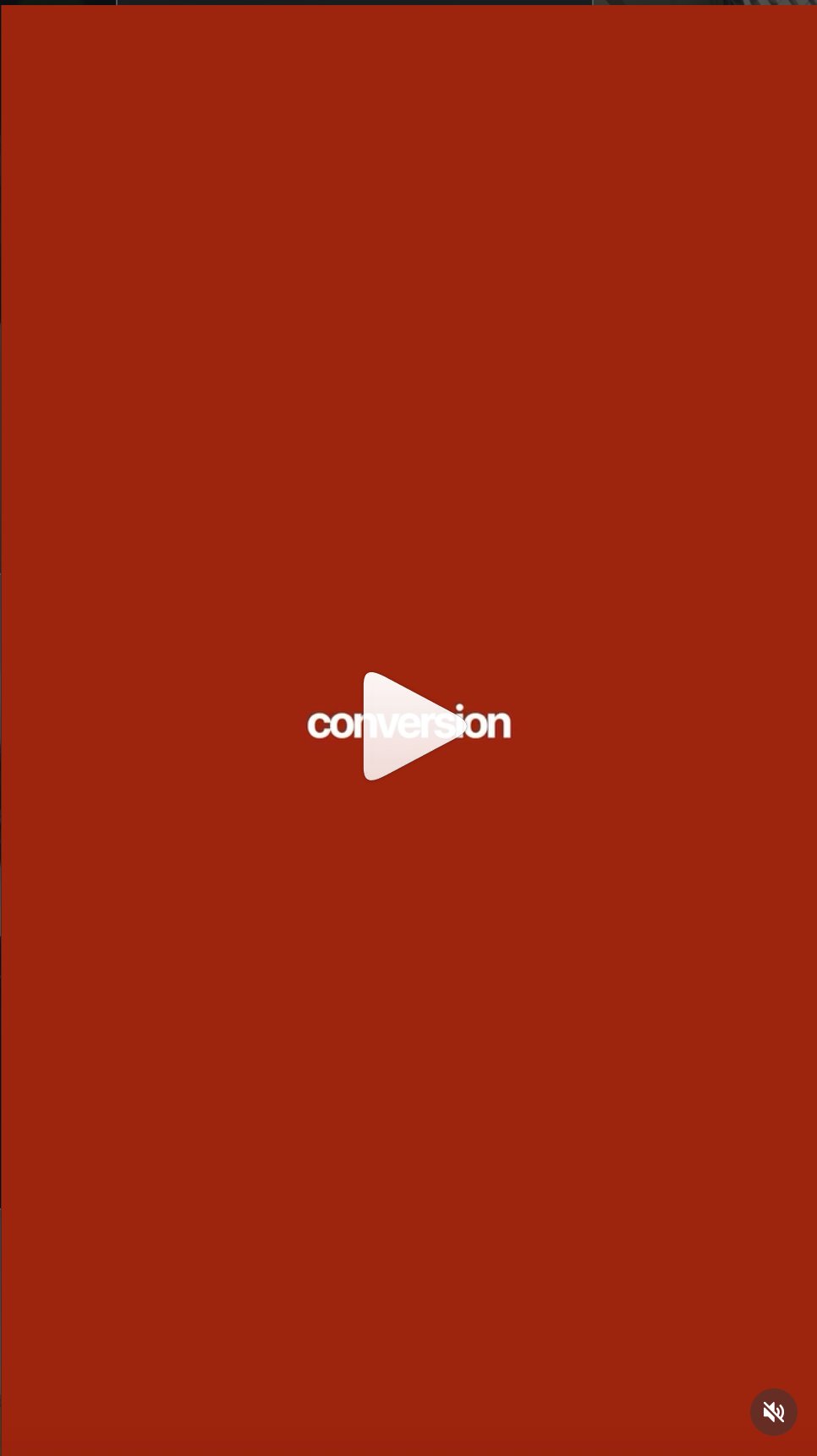
Conversion transition card
legacy rust red transition card, single word centred, white text, no other elements. New version uses parchment background instead
Template 4, b-roll storytelling with voiceover
Lifestyle, narrative, and documentary content
Visual spec
Format: No talking head. Real footage of Tim living, working, training, and travelling, with a voiceover or motivational text overlay driving the narrative.
Text style: Simple lowercase white text, sentence case, Inter regular 400. One word or short phrase centred on screen. This is not kinetic, it is quiet and intentional.
Text position: Centred in the lower half of frame. Minimal, never competes with the footage.
Pacing: Slower and more cinematic than the talking head format. Cuts follow the music or the rhythm of the narration. 3 to 6 seconds per shot.
Colour grade: Same system as talking head, warm, muted, slightly desaturated. The grade should feel consistent across all formats.
Shot types for this format
Running or training in natural outdoor environments. Working from travel locations, balconies, poolsides. Over shoulder at laptop. Candid moments, cooking, thinking, walking. The viewer should feel like they are following Tim around, not watching a produced video.
Voiceover direction
Calm and direct. No performance. Sounds like Tim talking to one person, not presenting to a room. The footage does the visual work, the voice does the emotional work.
Visual examples, current brand and legacy
Current brand colours for this template: Parchment (#EDE0CC) background with pitch black (#0E0E0E) primary text and dark green (#5A8000) Playfair italic. Or pitch black background with parchment primary and electric green (#A8E020) Playfair italic. The layout, negative space, and centred text approach shown below stays exactly the same.
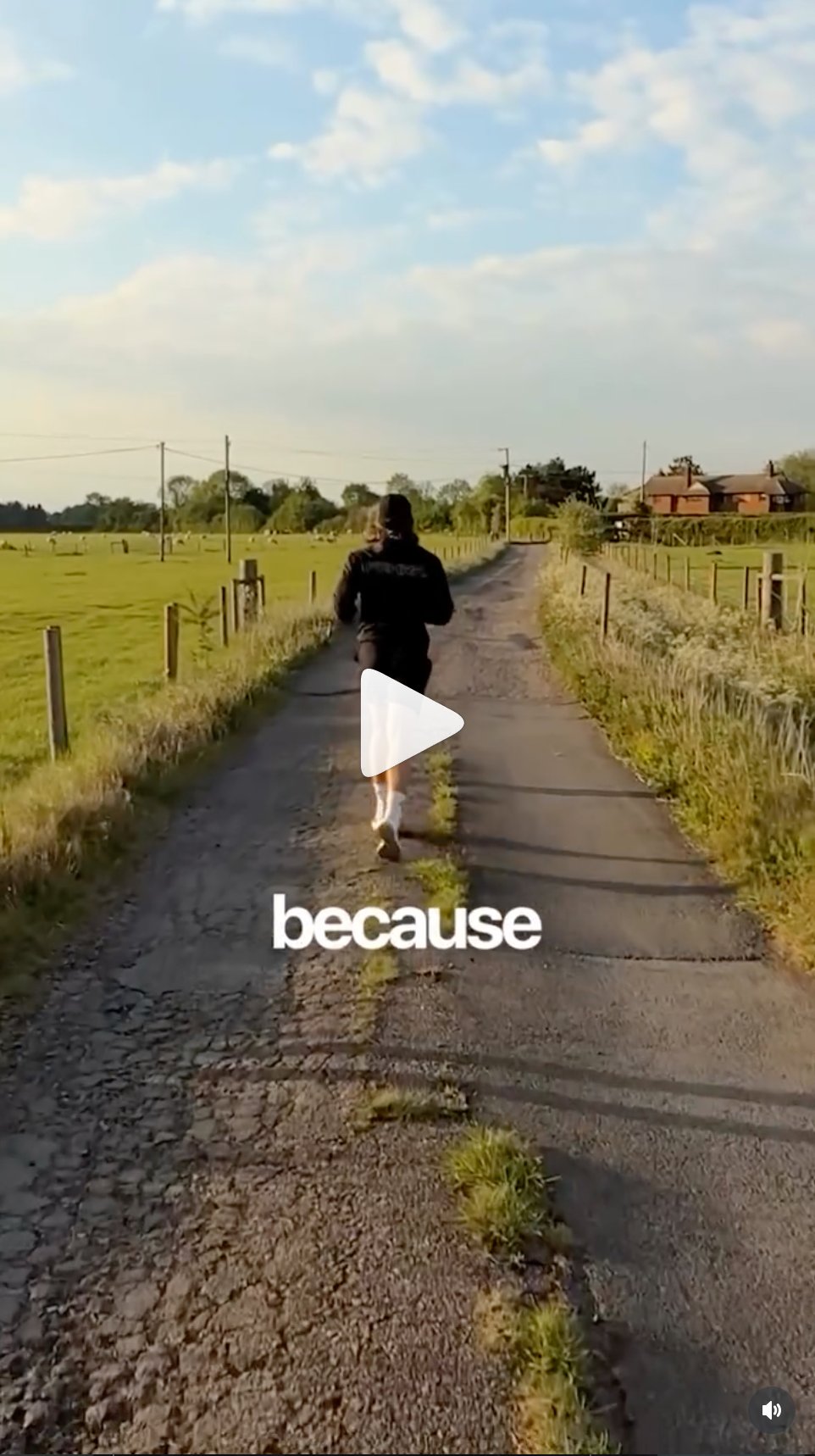
Running on country road
outdoor b-roll, running on country road, single word overlay centred, natural light, cinematic grade
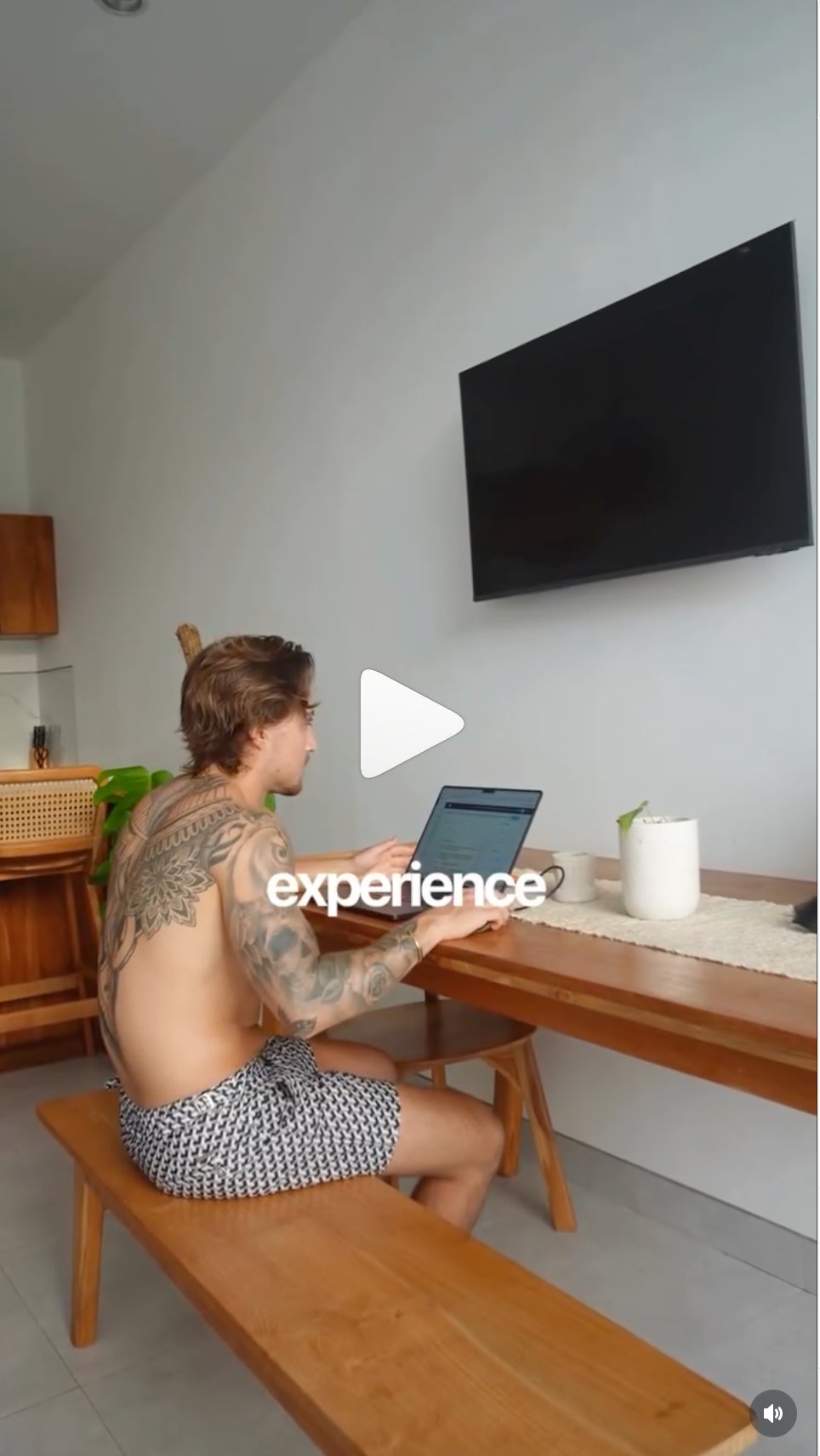
Working abroad
travel location work shot, shirtless at desk abroad, single word overlay, documents the lifestyle being sold
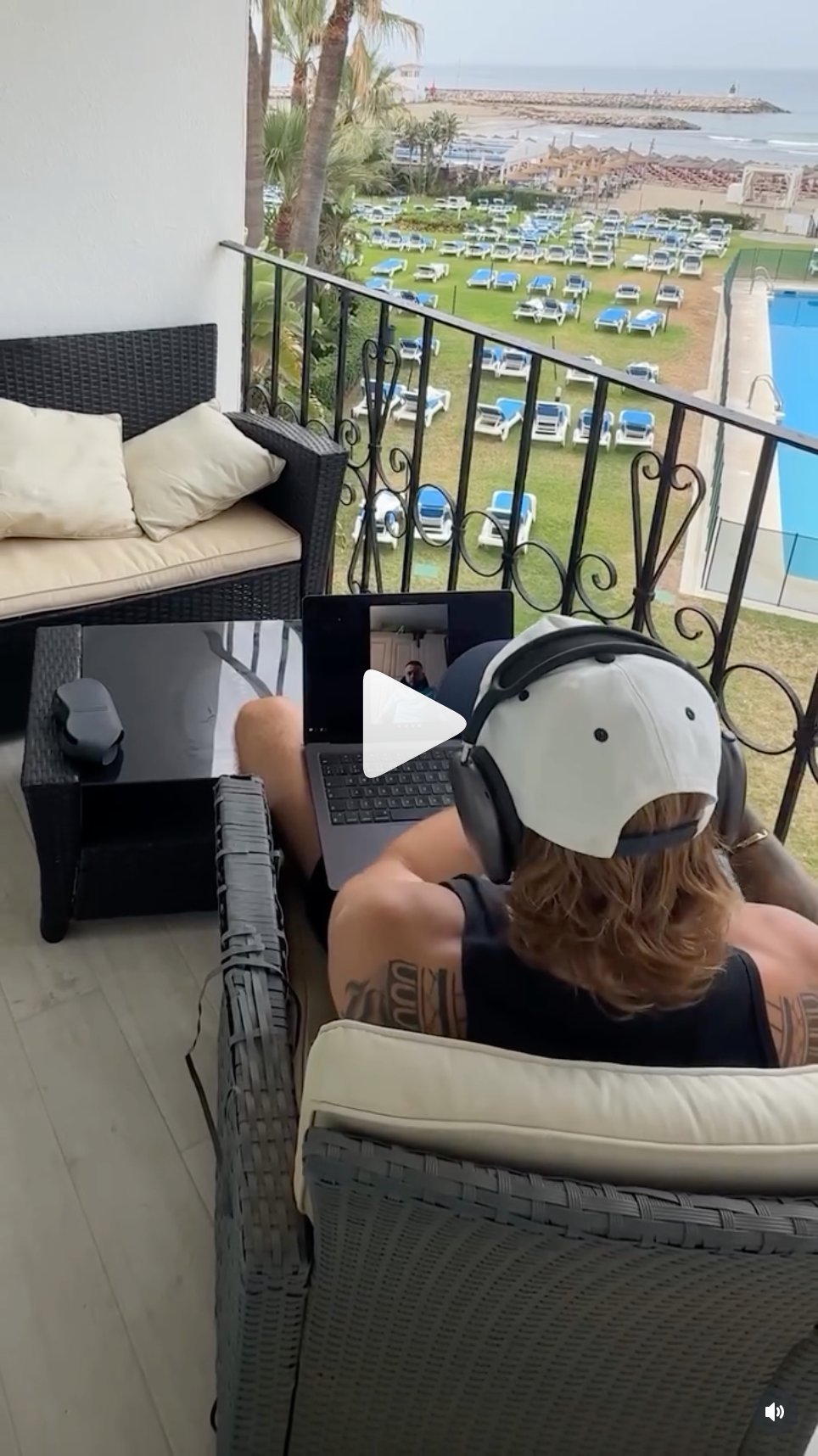
Working from hotel balcony
hotel balcony with beach view, over shoulder working shot, demonstrates location freedom, core brand promise
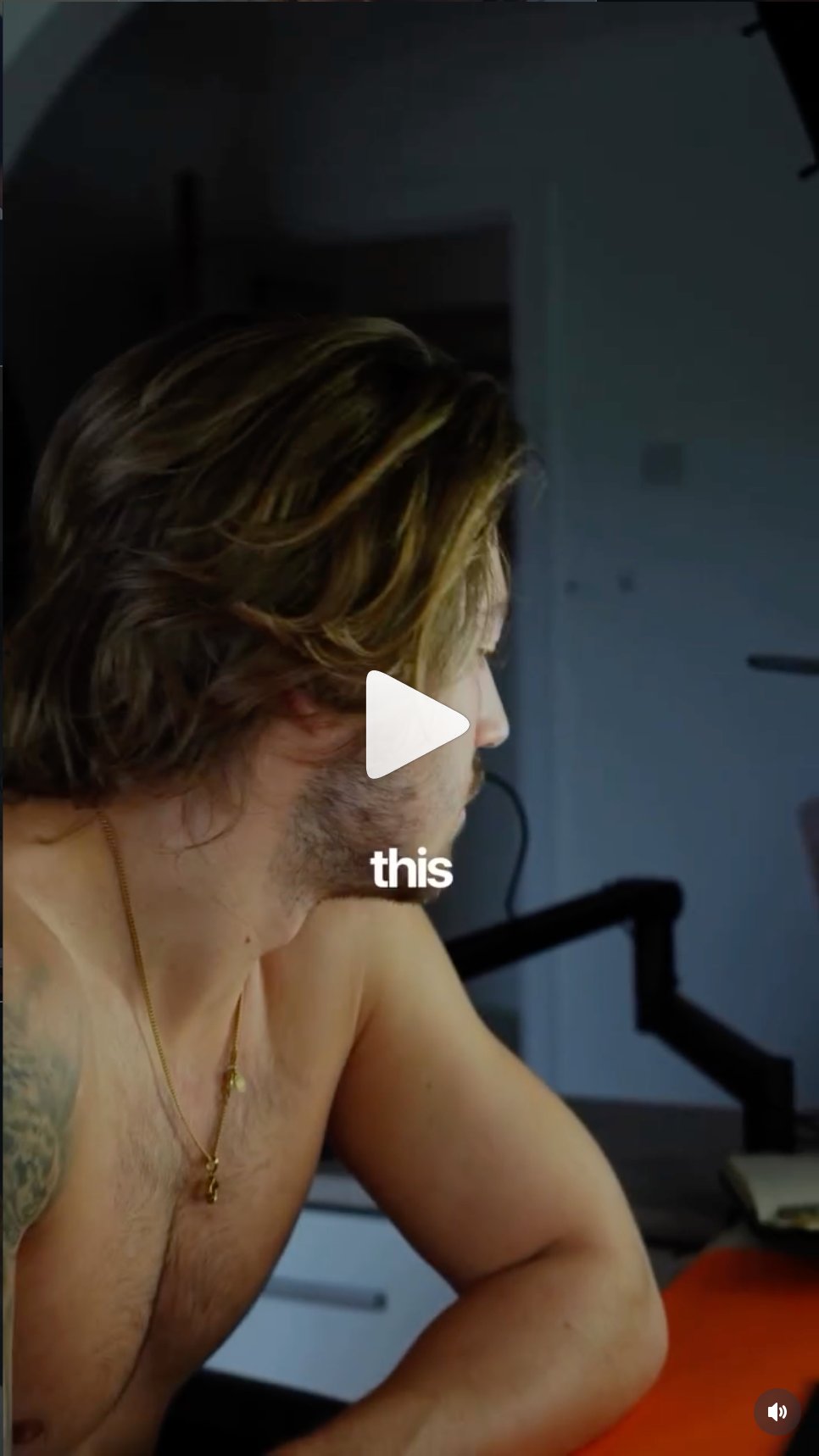
Close up candid profile
close up candid profile, single word overlay, intimate and unguarded, feels real not produced
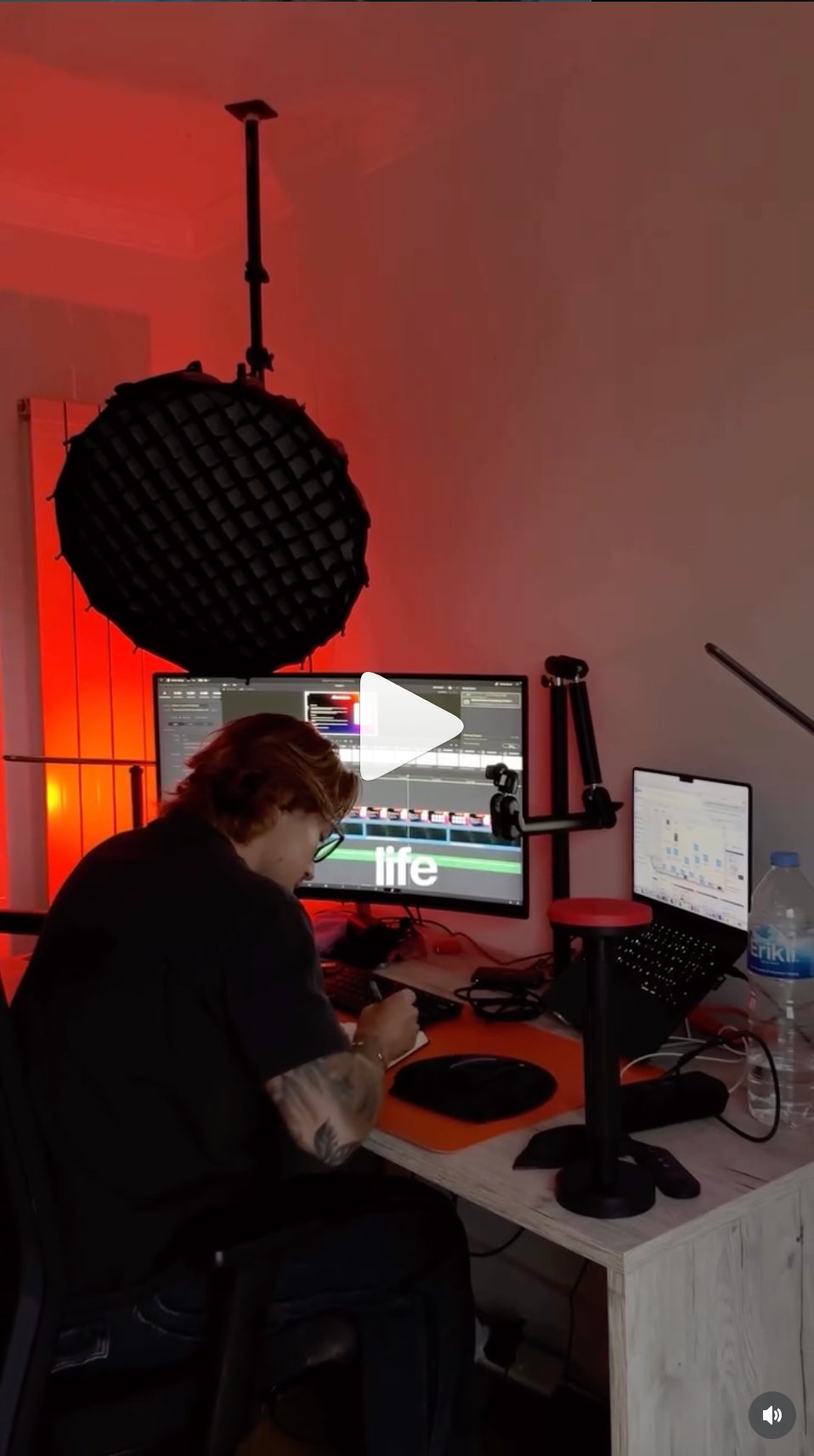
Behind the scenes editing shot
behind the scenes editing shot, shows the work that goes in, single word overlay on screen, this style works well for process and behind the scenes storytelling
06, caption style

Captions appear on all talking head content. They are part of the brand, not an afterthought. Every detail below is mandatory.

Caption spec
01
Font: Inter bold 700 to 800. Never Playfair in captions.
02
Size: 52 to 64px at 1080px width. Large enough to read without squinting on mobile.
03
Colour: White (#FFFFFF) as default on video. Active word can highlight in a contrasting colour.
04
Kerning: minus 27 throughout. Tight, not default spacing.
05
Position: Lower third, approximately 65 to 75% down the frame. Never at the very bottom edge.
06
Case: Lowercase for most words. ALL CAPS for the key word in the line, matching the text overlay style.
07
Words per frame: 1 to 3 words maximum per caption frame. Never a full sentence at once.
08
Background: No caption background box or pill. Text directly on footage with subtle drop shadow if needed for legibility.
Real caption examples
Caption example decision
mixed case captions, DECISION in all caps, supporting words lowercase, white on footage
Caption know your numbers
KNOW YOUR NUMBERS in all caps, psychopath in lowercase below, clear size hierarchy
07, filming direction

Guidelines for the camera operator and anyone filming Tim. These are not suggestions, they define the visual identity of the brand on camera.

01
Framing
Mid-chest to just above head. Subject slightly off-centre, leave breathing room. For lower thirds text overlay, frame wider to allow space at the bottom. Low angles, slightly below eye level, make the subject look authoritative. Never shoot from above.
02
Environments
Dark architectural spaces, independent coffee shops with character, gyms with real equipment, cars, travel locations with environmental context. The space tells part of the story. Never a plain white wall, never a ring-lit bedroom setup.
03
Lighting
Natural light preferred. If artificial, use warm tungsten-adjacent tones, not cold white. Avoid ring lights. Soft box or window light positioned to one side creates depth. Slight underexposure is preferred over blown-out highlights.
04
Colour grade
Muted and slightly desaturated. Warm skin tones preserved. No heavy LUTs or influencer presets. Lift the shadows slightly rather than crushing blacks. Subtle vignette acceptable. The goal is film-adjacent, not Instagram filter.
05
Aspect ratios
9:16 vertical at 1080x1920px for all Reels, TikTok, and YouTube Shorts. Always shoot vertical or in a format that crops cleanly to 9:16 without losing the subject. 16:9 only for YouTube long-form if applicable.
06
Movement
Handheld is fine and often preferred, adds a documentary quality. Avoid heavy camera movement during speech. B-roll can use movement freely. Slow push-in during a talking head moment creates tension on key moments.
07
Clothing on camera
Grey, taupe, olive, black, white. Occasional accent colour when intentional. Clean but never corporate. Avoid busy patterns as they distract when text overlays are applied. Relaxed and considered.
08
B-roll direction
Over-shoulder at laptop, coffee with work visible, gym mid-motion with back shots, travel environmental wides, hotel balconies, poolside working, car profile. Always documentary, never catalogue. The subject should look unaware of the camera where possible.
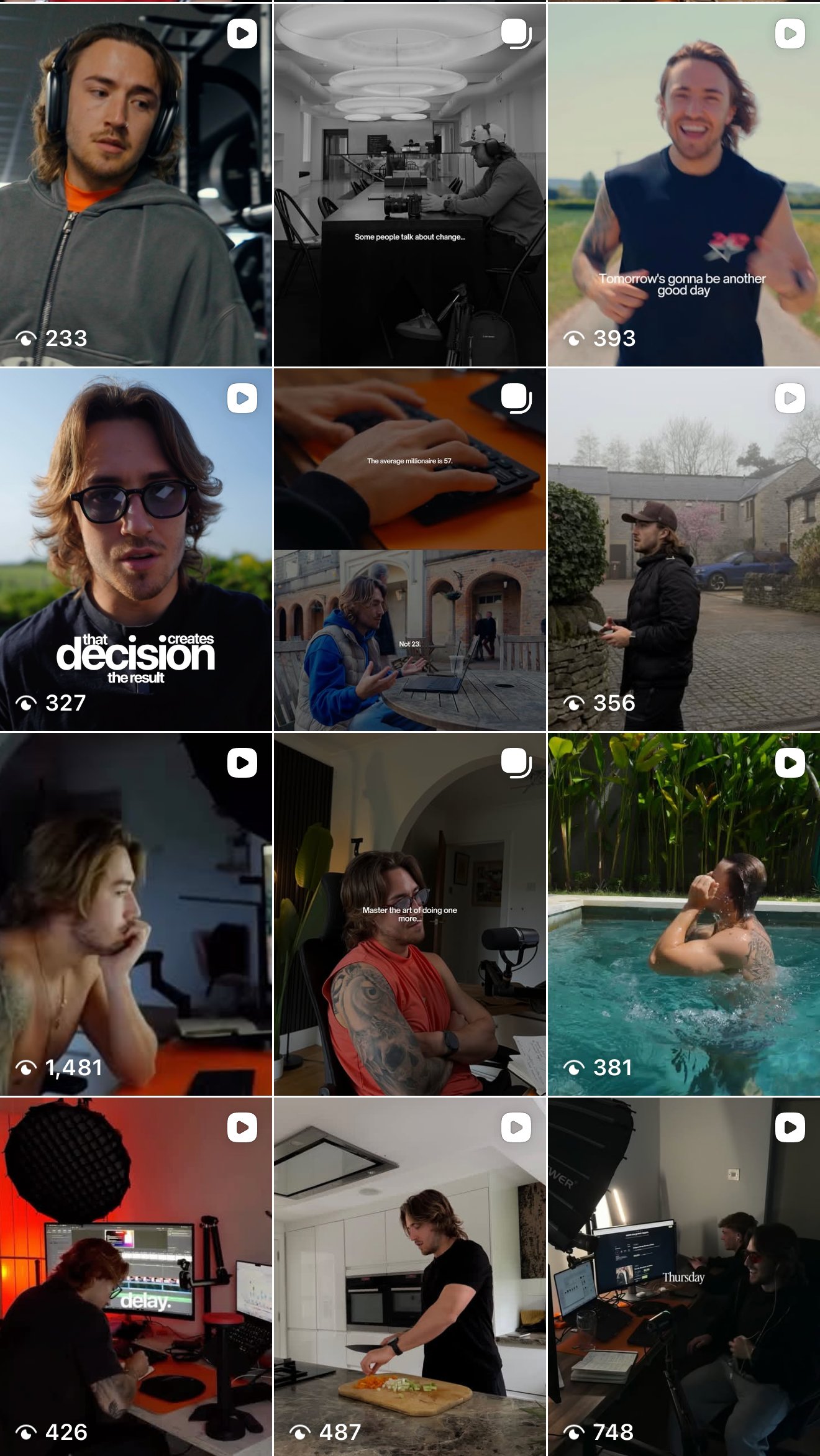
Feed and lifestyle reference

The Instagram feed below shows the overall visual direction. Variety of environments but always consistent in tone, grade, and the lifestyle being depicted.

Tim Brace Instagram feed overview
Current Instagram feed, May 2026. Mix of talking head, b-roll lifestyle, and graphic card content. The visual direction going forward builds on this base with the updated brand system.
08, production rules and brand voice
Copy and caption writing rules
01
British spelling throughout. Colour not color. Optimise not optimize. Programme not program.
02
No em dashes. Use a comma, a full stop, or a line break instead.
03
No jargon. No “game-changer”, “level up”, “hustle”, “mindset shift”, “unlock your potential”, “no BS”, “real talk”. Write like a normal person texting.
04
Casual and direct. One idea per sentence. Short sentences. Read it out loud. If it sounds unnatural, rewrite it.
05
First person always. “I built this from a shed” not “We built” or “Tim built.” Tim speaks directly as himself.
Text effect rules
01
ALL CAPS for key words only. The word you want the viewer to stop on. One or two per frame maximum.
02
Size contrast creates hierarchy. Key word is significantly larger than supporting lines. The scale difference is the effect, no animation needed.
03
Bracket device. [word] brackets around a key phrase add emphasis and a graphic quality. Used sparingly, not on every line.
04
Animation is minimal. Hard cut-in or very fast scale. No bounces, no springs, no slow fades. The word appears, it does not perform.
05
Never colour text on footage. White only on moving video. Colour text only on graphic cards with solid backgrounds.
Master do's and don'ts
Always do
  • Pitch Black or Parchment as the only two video backgrounds
  • Inter for all headlines, video text, and captions
  • ALL CAPS for key words only, lowercase for everything around them
  • Playfair Display italic in sentence case, never uppercase, never on numbers
  • Electric green (#A8E020) on digital assets and landing pages only, not in video
  • White text on video footage, never coloured text directly on moving footage
  • Parchment (#EDE0CC) as the transition and chapter card background colour
  • Cut on emphasis or breath, tight with no dead air
  • Natural environments, coffee shops, gyms, outdoors, cars, travel locations
  • Warm, muted, slightly desaturated colour grade across all content
  • British spelling in all written content
  • Lead with Tim the person, SCALO the company second
Never do
  • Use electric green as a full-screen background or transition card in video
  • Use Playfair Display in uppercase or for any numbers or symbols
  • Put coloured text directly on moving video footage
  • Use gradients, drop shadows on text, glow effects, or neon
  • Introduce colours outside the four-colour palette system
  • Shoot against plain white walls or use ring light setups
  • Use em dashes in any written copy or on-screen text, use commas instead
  • Use jargon, no “game-changer”, “level up”, “hustle”, “unlock”
  • Centre-align text in static graphic posts
  • Use Playfair italic as a standalone headline without an Inter pairing
  • Mix the new green palette with legacy rust red in the same video
  • Use bounce or spring animation on text, hard cut-in only